Table of Contents
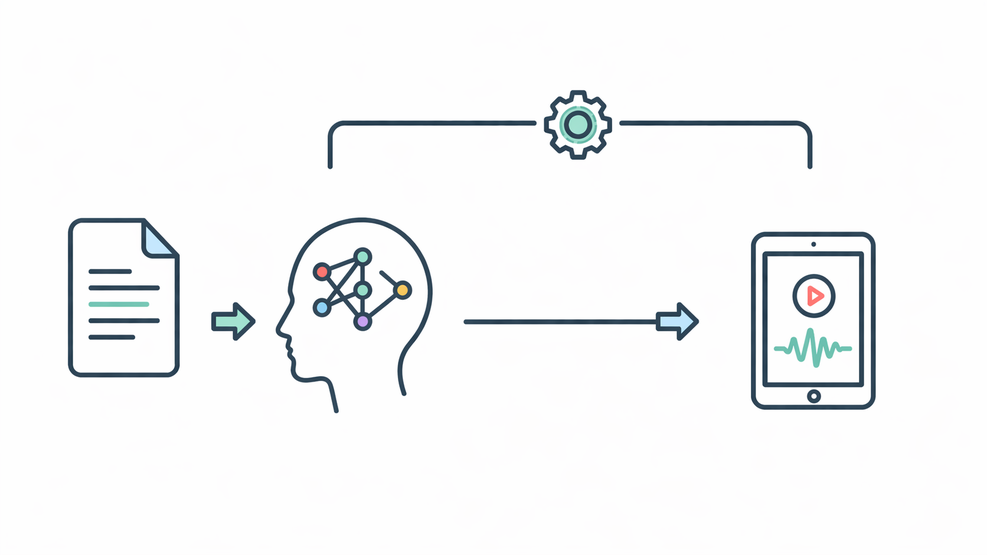
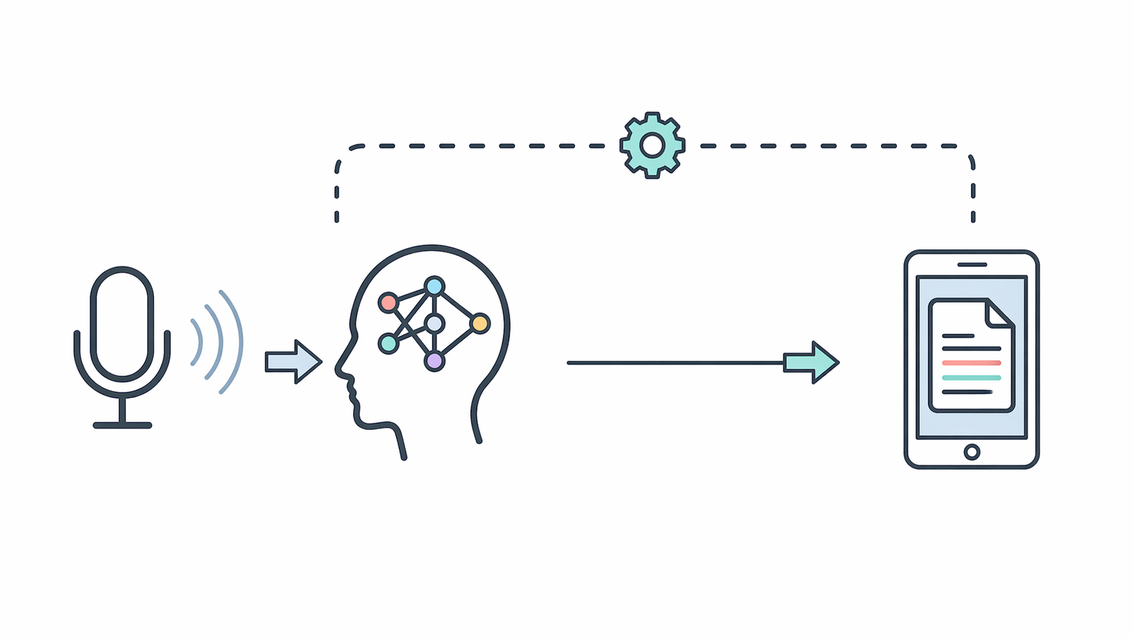
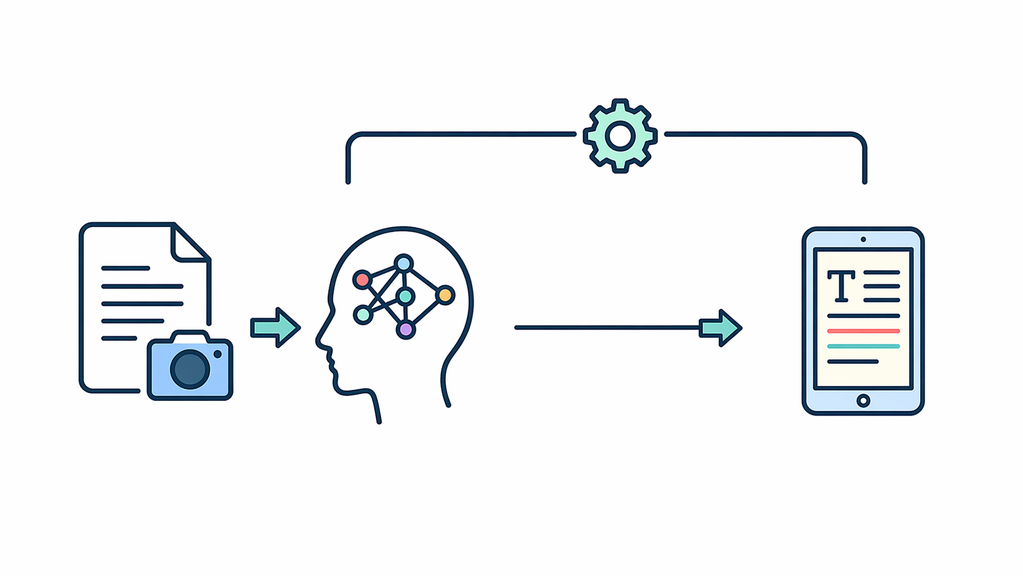
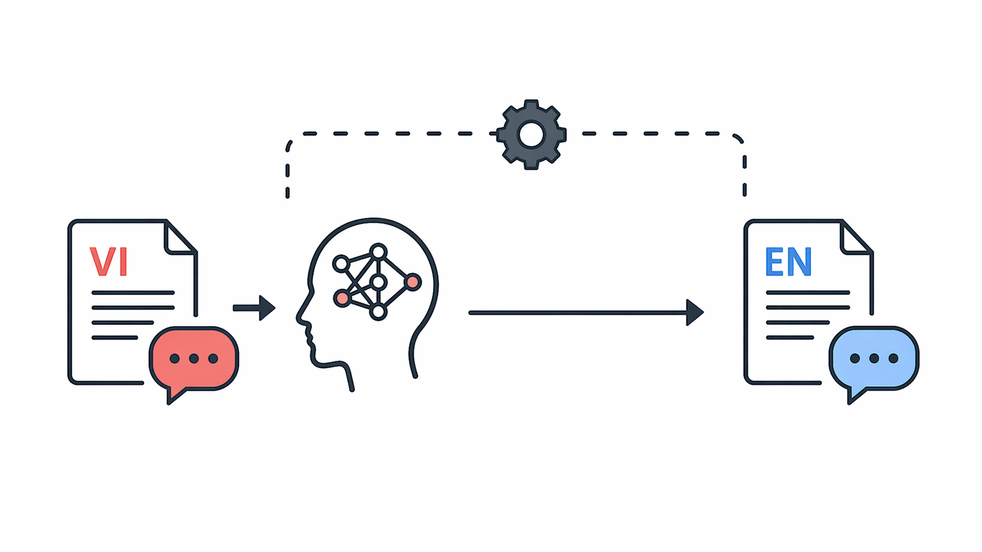
Text to Speech
This module converts written text into natural-sounding audio, supporting platform growth as a scalable web system through reusable narration, documentation, and workflow output.
Written date: 12/07/2025 08:30:30Digital Suite
Introduction
Text-to-Speech (TTS) is a Digital Suite module that converts text into natural-sounding audio for documentation, guides, narration, and workflow output. It sits after text preparation and before audio export, helping websites reuse content for accessibility, media tasks, and structured delivery.
- Technical context: This workflow includes text input, request handling, model processing, and audio export.
- Technical benefit: It reduces manual recording work, keeps audio output consistent, and makes written content easier to reuse.
Practical Notes
In 2024, after joining a media company project, I built this Text-to-Speech module for practical audio generation. It used a Conda-based AI runtime with Torch, CUDA, and GPU acceleration for heavier inference. The setup later became a blueprint for scalable AI-driven media processing. Common use cases come next.
Who should use this module?
People who want to turn written content into clear audio for websites, guides, or notes.
Teams that need voice output for tutorials, support pages, or internal content.
Anyone building a web workflow where text can be reused as speech.
Module Setup Guide
AI modules can be built in many ways. This section uses only module_tts as a simple example, so the setup flow is easier to understand. It covers environment setup, module building, model preparation, and service launch.
Step 1: Set up the module environment
This article focuses on the Text-to-Speech workflow, so environment setup is covered briefly. For full backend setup, refer to the related guide. The module_tts service uses a separate Conda environment with Torch, Transformers, and other TTS runtime dependencies.
BASH
conda create -n module_tts python=3.11 -y
conda activate module_tts
Next, install the Python packages needed for Flask service handling and F5-TTS processing.
BASH
pip install flask flask-cors python-dotenv torch pydubAfter this step, the environment is ready for building the Flask module.
Step 2: Build the module
After the environment is ready, place the demo package in your project directory and configure its local settings. It includes the Flask structure, the F5-TTS handler, runtime configuration, and the /module_tts route.
The demo package for this module is available at: Download Module TTS.
First, extract the package into your selected project directory, then open the module folder and create a local .env file from the sample configuration.
BASH
unzip module_tts.zip -d <Project_Path>
cd <Project_Path>/module_tts
cp .env.example .env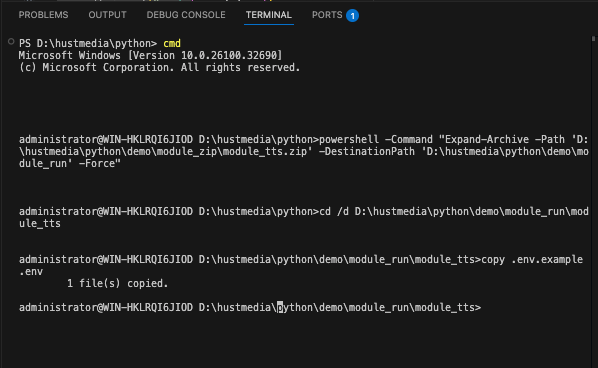
Then, update .env with your own project path, cache path, output path, F5 CLI path, reference audio path, checkpoint path, vocab path, and available service port.
DOTENV
MODULE_TTS_HOST=0.0.0.0
MODULE_TTS_PORT=<YOUR_PORT>
MODULE_TTS_CONDA_ENV=<YOUR_CONDA_ENV_PATH>
MODULE_TTS_F5_CLI=<YOUR_CONDA_ENV_PATH>\Scripts\f5-tts_infer-cli.exe
MODULE_TTS_CACHE=<YOUR_MODEL_CACHE_PATH>
MODULE_TTS_OUTPUT_DIR=<Project_Path>\module_tts\output
MODULE_TTS_F5_REF_AUDIO=<Project_Path>\tts\F5_vie\ref_4.wav
MODULE_TTS_F5_VOCAB_FILE=<Project_Path>\tts\F5_vie\data\your_training_dataset\vocab.txt
MODULE_TTS_F5_CKPT_FILE=<Project_Path>\tts\F5_vie\ckpts\your_training_dataset\model_500000.pt
MODULE_TTS_F5_SPEED=0.5
After these values match your machine, the module is ready to be launched as a local backend service.
Step 3: Start the Module Service
From the module folder, start the service with the main entry file, or use the helper runner when you want the module to launch through the configured runtime.
BASH
python home.py   # starts the Flask module service directly
# or
python run.py    # starts the module through the configured runtime settings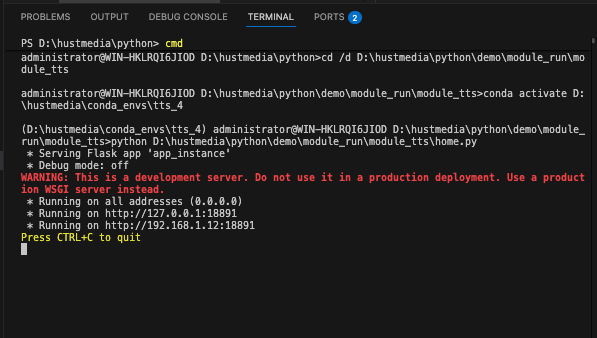
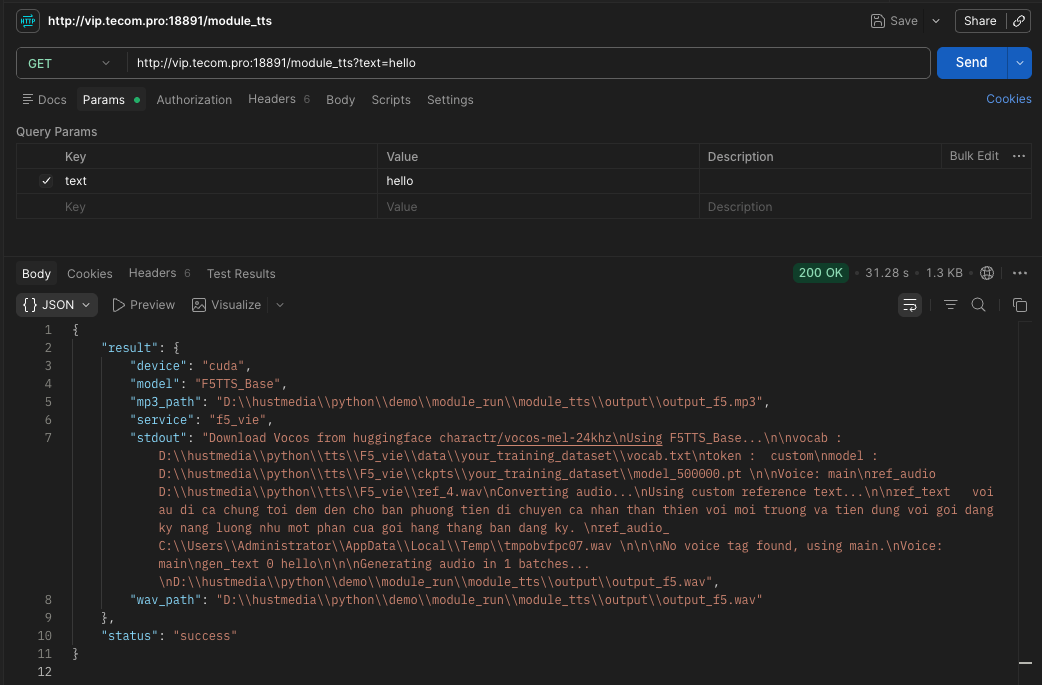
When the service is running, test the /module_tts endpoint with a simple request.
BASH
curl "http://127.0.0.1:<YOUR_PORT>/module_tts?text=hello"If the response returns a valid JSON result with generated wav_path and mp3_path, the backend module is ready to connect with the frontend.
How the Text-to-Speech Logic Works for Vietnamese
Short description for the article card
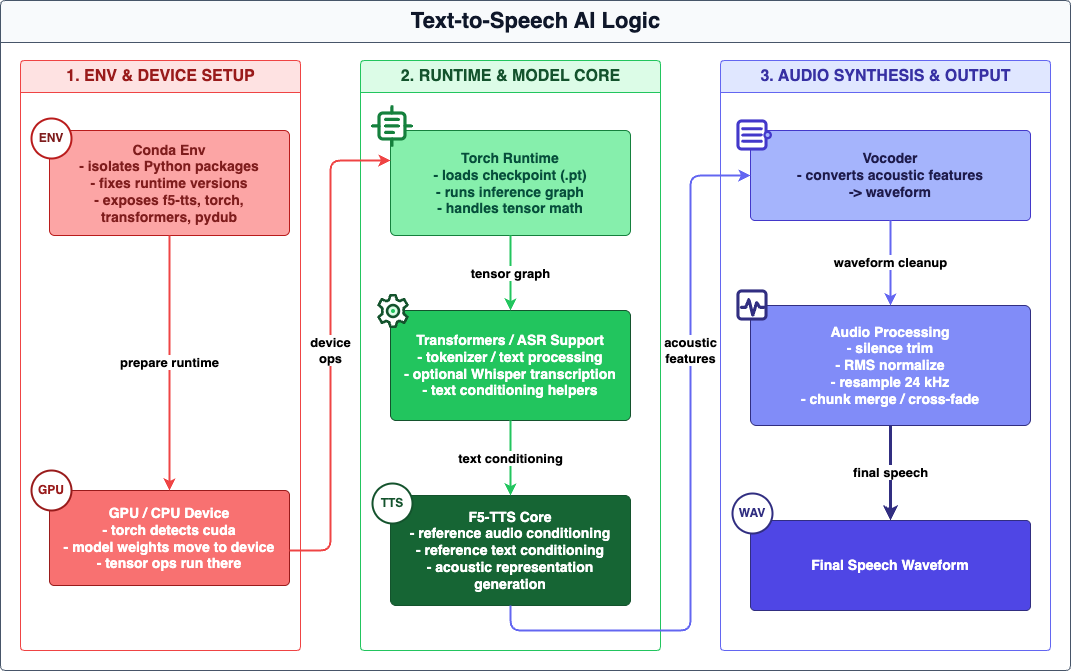
This article explains how the current text-to-speech pipeline works, from request validation and text normalization to F5-TTS inference, waveform generation, and MP3 export. It focuses on the synthesis logic, local runtime assets, and practical limits of the current version, using Vietnamese as the working example. The diagram below shows the TTS runtime flow.
Article body
The current TTS module runs inside <Project_Path>/demo/module_run/module_tts/ and exposes a single GET or POST /module_tts endpoint on 0.0.0.0:<YOUR_PORT>. It receives text from query parameters, form data, or JSON, checks that the input is not empty, calls the synthesis function, and returns a JSON payload with the generated audio file paths. The request is processed synchronously, so this version does not stream audio or use a background queue.
The synthesis path is F5_vie only. Before the runtime starts, the module rewrites numeric strings into Vietnamese words so short notes, quantities, and operational text sound more natural. For example, Xin chào 123 is prepared as Xin chào một trăm hai mươi ba before voice generation. This preprocessing improves pronunciation by sending spoken-style Vietnamese instead of raw numeric tokens.
After normalization, the service resolves the f5-tts_infer-cli executable from MODULE_TTS_F5_CLI, the configured Conda environment, or the active Python environment. It then runs the F5 runtime with F5TTS_Base, the vocos vocoder, speed 0.5, a fixed local reference audio file, fixed reference text, vocab.txt, and the model_500000.pt checkpoint. The reference audio and reference text provide speaker conditioning, while the normalized request text becomes the generation target. The result is written as WAV in the configured output directory, then converted to MP3 through pydub.
Inside the runtime, the process goes beyond a shell wrapper. The CLI-side stack loads the model definition, vocabulary, checkpoint, and vocoder backend; applies speaker conditioning; prepares the generation text; runs sampling; and decodes the final waveform from the acoustic representation. In the broader F5 stack, text segmentation, conditioning, vocoder decoding, and waveform assembly are all part of the synthesis logic, even though this module exposes them through a single CLI call. The main tradeoff is that this build depends on local runtime assets and fixed output filenames, so concurrent requests would need stronger output isolation in a future revision.
Technical configuration snapshot
CONFIG
Runtime: `Python` `Flask` server on `0.0.0.0:<YOUR_PORT>`
CLI: `f5-tts_infer-cli`
Vocoder: `vocos`
Reference audio: `ref_4.wav`
Vocabulary: `vocab.txt`
Export: `WAV` to `MP3` via `pydub`
Main route: `GET` or `POST` `/module_tts`
Voice engine: `F5_vie` only
Model: `F5TTS_Base`
Speed: `0.5`
Reference text: fixed local conditioning text
Checkpoint: `model_500000.pt`
Output: `JSON` with `wav_path` and `mp3_path`
Practical Use
Module Usage Guide
After the technical overview above, this guide explains how to use the Text-to-Speech module with short, practical content.
1.Enter a product description, guide note, or short instruction.
2.Click Generate Audio to create the voice output.
3.Review the result for clarity, pacing, and consistency.
4.Use different text lengths to see how the module handles common content types.
Use the section below to try the module directly. Start with a short input, then adjust the text based on your workflow needs.
Use the steps below to quickly test this module with your real content.
Voice Generation
Current characters: 0
Sample Inputs
Input: Product description paragraph. Output: Short narrated audio for social posts.
Input: Task instructions. Output: Short voice summary for collaborators.
Closing Notes
Reader Value
Readers can use this module pattern to turn text-based content into a more structured voice workflow for guides, documentation, and short-form media tasks. In real projects, that helps reduce repetitive manual recording, keep output handling more consistent, and support stable operation across integrated content flows.
Conclusion
This Text-to-Speech module combines controlled request handling, reusable model paths, and a practical export flow into one maintainable service layer. It stays aligned with the platform’s broader system integration and stable operation model.
By Tín Nguyễn Đăng • Written date: 12/07/2025 08:30:30
Was this content helpful to you?